VoiceCal Scheduler, for Google Calendar
How-to · Group scheduling
How to find a meeting time for a group without the email back-and-forth
Don't ask "what works for everyone?" by email. Send one short poll instead. In VoiceCal™, say who the meeting is with and roughly when: "Budget review with Sam and April next week". Each person gets their own link and taps the times that work, with no account needed. You pick the time, it goes on your Google Calendar, and everyone gets the invite. AI handles the details, and nothing is saved until you check it.
Why the email thread breaks
Every reply changes the picture. By the time the fourth person answers, the first person's free time is gone. A poll collects everyone's answers in one place, and you decide once.
Steps
Step 1: Say who and roughly when.
Tap the "Find a group time" tile, or just say it on the main screen: "Schedule a team meeting with Sam and April next week". With two or more people and no fixed time, VoiceCal prepares a poll.
Step 2: Check the poll card.
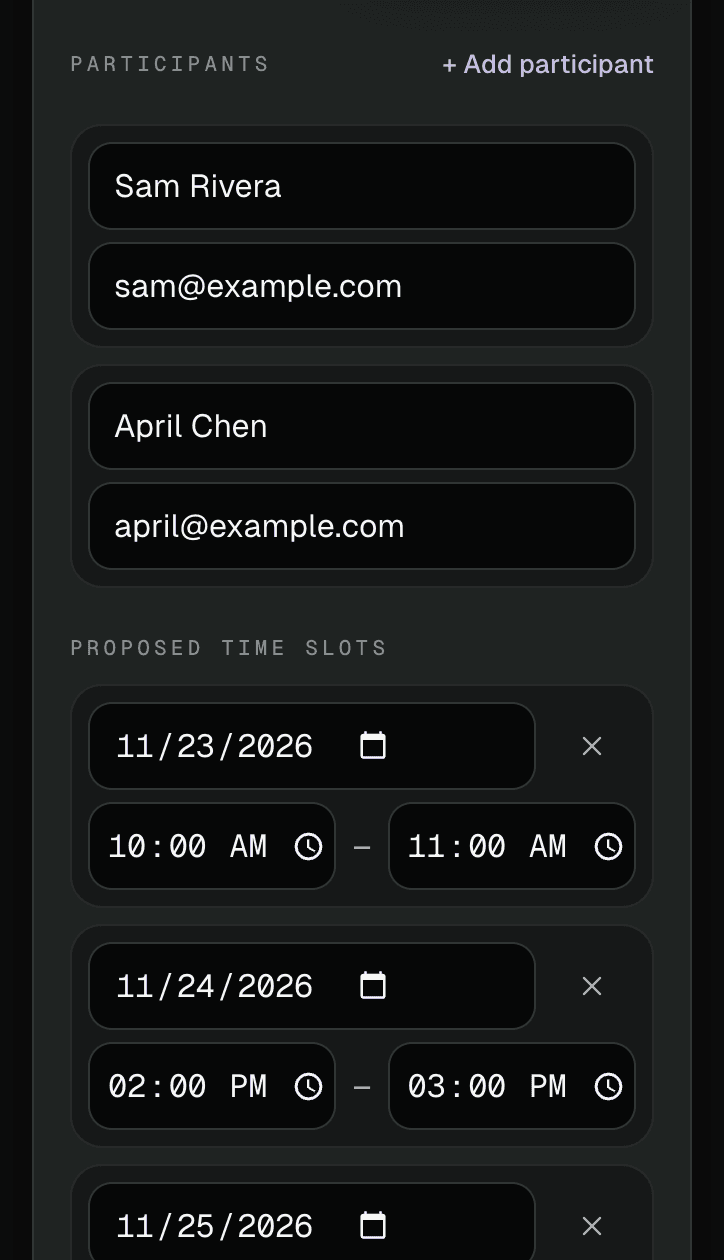
"Create TeamAvail poll" lists the people, the proposed times and a response deadline. Change anything, and make sure each person has an email address.
Step 3: Send it.
Tap "Send poll links". Each person is emailed their own link, and you can copy the links to send them another way.
Step 4: Watch the replies.
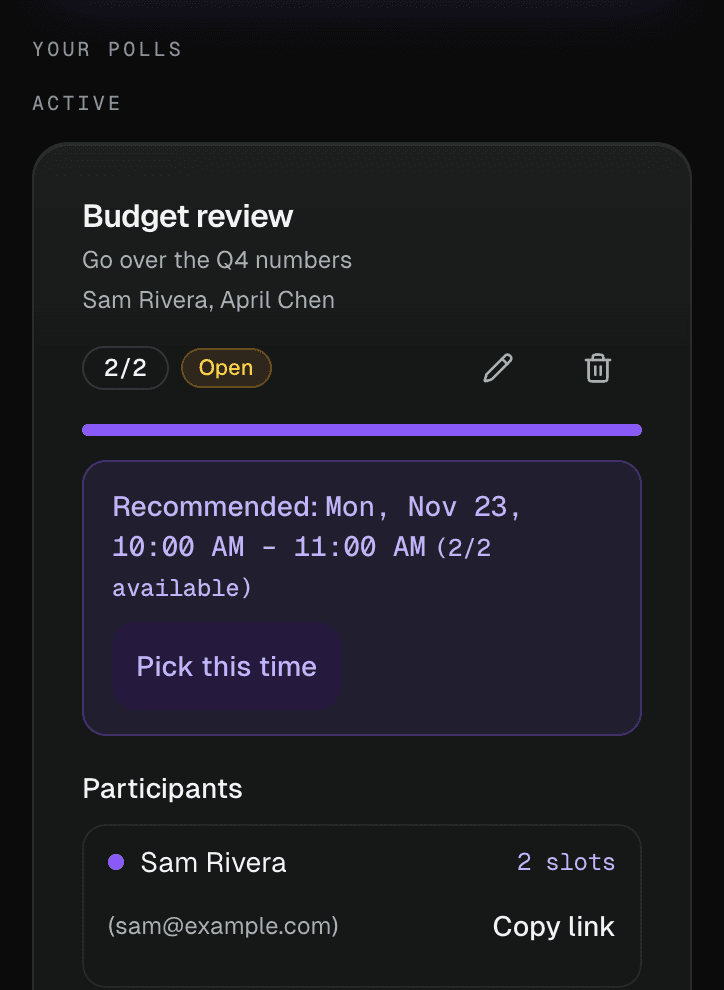
Open "Your polls" to see who has answered and how many can make each time.
Step 5: Pick the time.
When everyone has replied, a "Recommended" time shows. Tap "Pick this time", or "Pick" a different one. It goes on your Google Calendar and your guests get the invite straight away.
Tips
- Offer three to five times. Fewer, and nobody fits; more, and people skim.
- Set a deadline. The poll card has a "Response deadline". A short one keeps things moving.
Questions
Do people need an account to answer?
No. They open their link and tap the times that work.
How many people can I ask?
On the Free plan, up to 30 people per poll and 2 open polls at a time. Pro allows up to 50 people and unlimited polls. Everything is free during early access.
What happens when I pick a time?
It goes on your Google Calendar and everyone gets a Google Calendar invite.
What if I just want to send my free times to one person?
Use QuickAvail™: pick a few open times and send them as one link. See QuickAvail