VoiceCal Scheduler, for Google Calendar
LiveAvailPro
A personal booking link that stays current
LiveAvail™ is one link that always shows when you're free, straight from your Google Calendar. People book themselves, and the meeting goes on your calendar without you having to step in.
LiveAvail is part of Pro. It's free for everyone during early access.
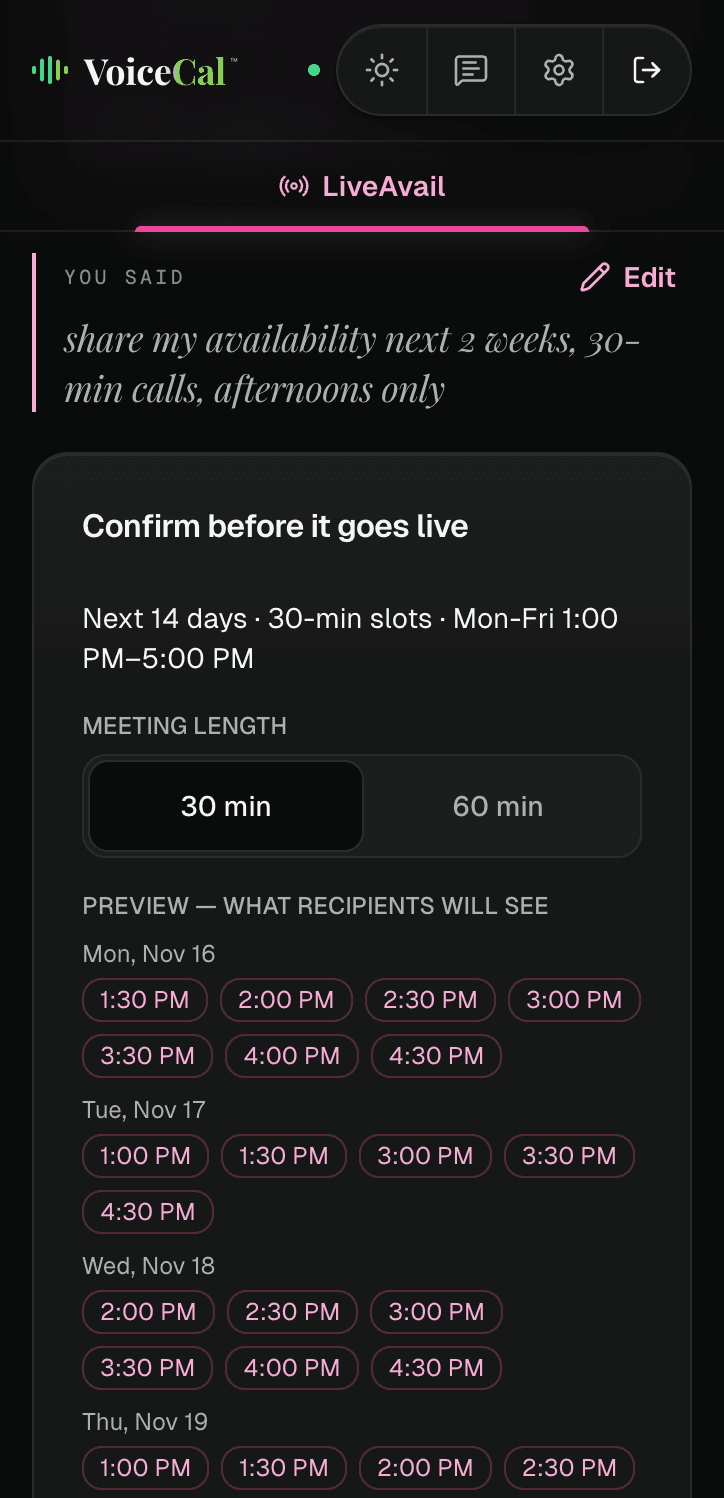
Set it up in one sentence
Step 1: Say your rule.
Tap "Let people book" and say how far ahead, how long each meeting is and which hours you take them: "Share my availability next 2 weeks, 30-min calls, afternoons only".
Step 2: Check the preview.
The card repeats your rule and shows exactly what people will see. Change the meeting length if you need to, then tap "Create live link".
Step 3: Share it.
Copy the link and send it however you like, or let VoiceCal™ email it for you.
Always current
Your open times are worked out from your real calendar each time someone opens the link, so they change as your calendar fills. Every booking is checked against your calendar again before it's confirmed.
What people see when they book
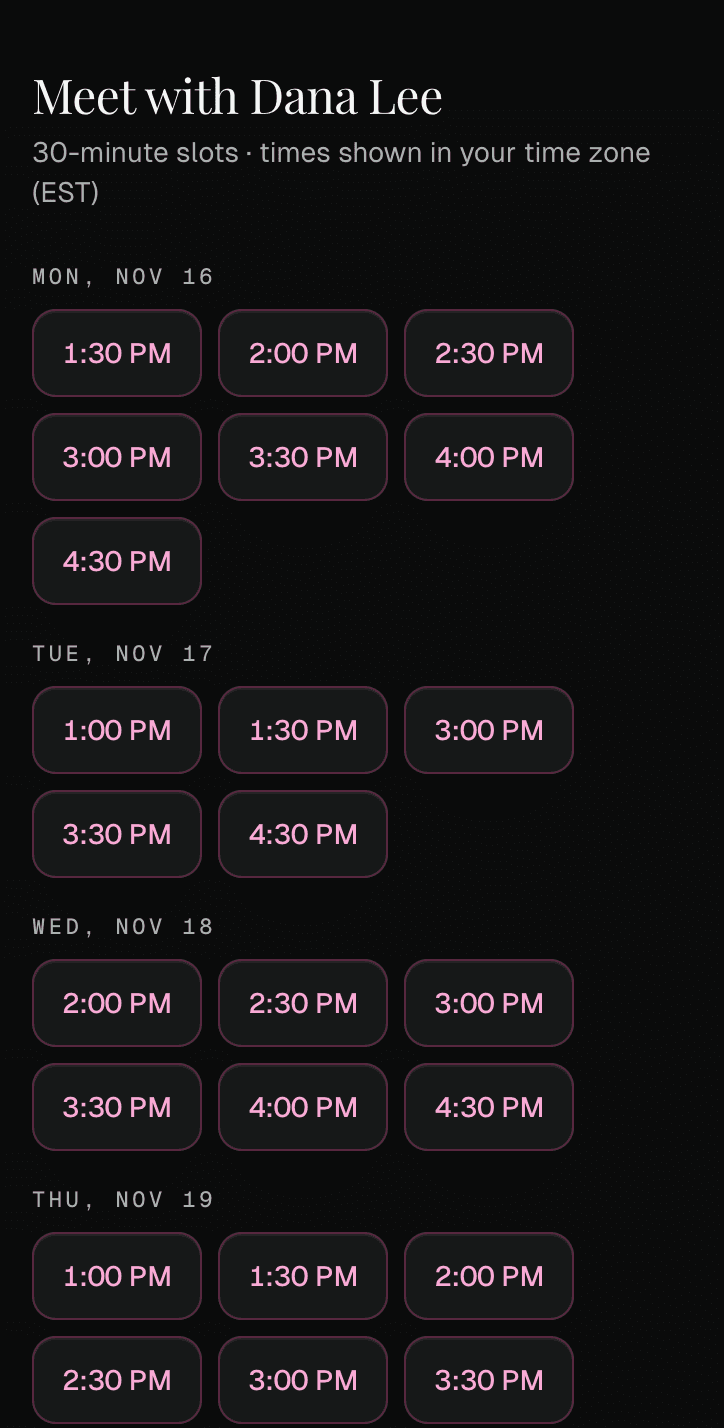
They see your name and your open times, in their own time zone, and never your event titles or details. They tap a time, enter their name and email, and tap "Reserve this time". The meeting goes on your Google Calendar with a Google Meet link or the place you chose, and you both get an email.
Change or stop a link
Each link has its own card under "Active links". Change the meeting length, or switch between virtual and in person, and the link changes for everyone who has it. Tap "Cancel link" to stop it; meetings already booked stay on your calendar.
What it costs
LiveAvail is part of Pro. It's free for everyone during early access. Join before January 1, 2027 and you keep founding pricing: $12 a month instead of $15.
Questions
Is LiveAvail free?
LiveAvail™ is free for everyone during early access. After that it's part of Pro.
Do I have to approve each booking?
No. If the time is still open, the meeting goes straight on your calendar and you get an email about it.
How is LiveAvail different from QuickAvail?
QuickAvail™ sends a few times you choose by hand, for one booking. LiveAvail™ keeps showing your open times, from your calendar, every time someone opens the link.
Can I have more than one link?
Yes. Each link gets its own card under "Active links", with its own name only you see, such as "For Sam".