VoiceCal Scheduler, for Google Calendar
Reminders
Set a reminder by voice
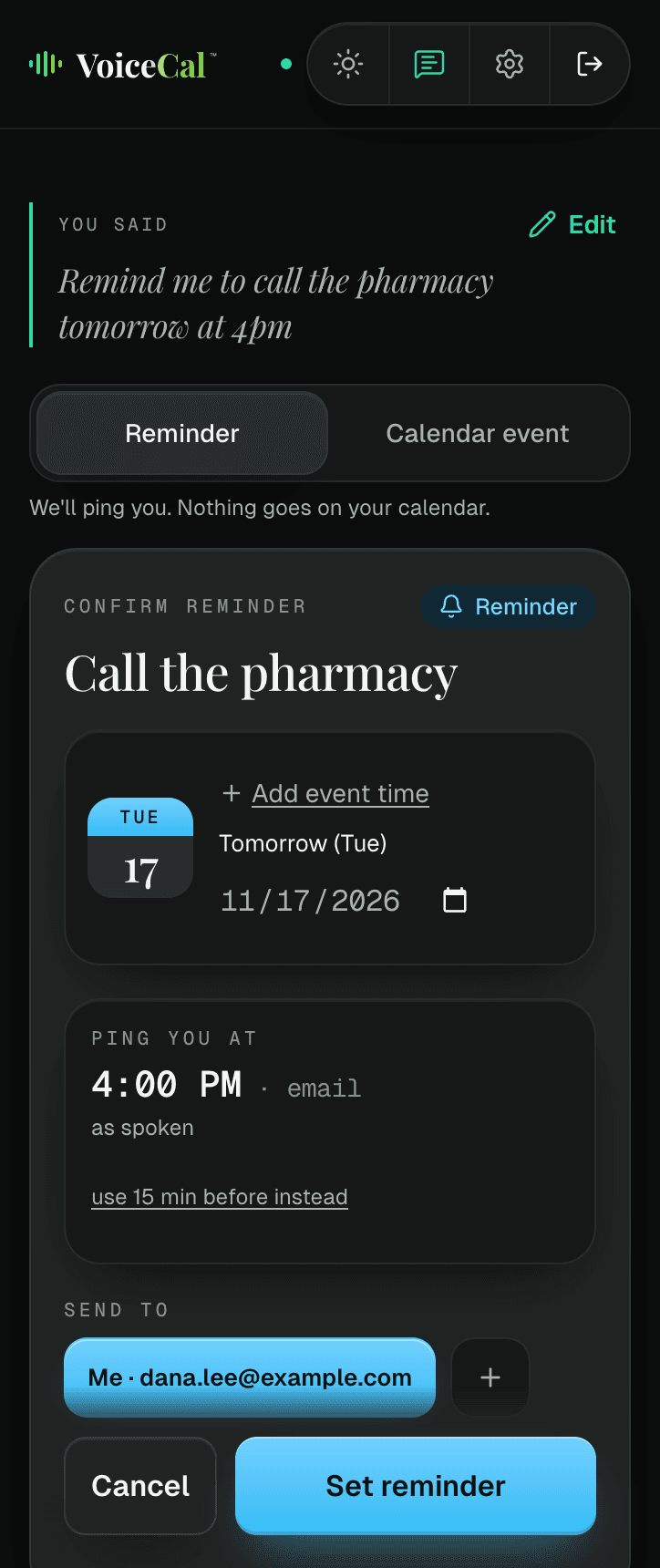
Say "Remind me to call the pharmacy tomorrow at 4pm" and VoiceCal™ pings you at that time. Reminders are free on every plan, and they don't put anything on your calendar.
How it works
Step 1: Start with "Remind me".
Say or type it, with what and when.
Step 2: Check the card.
The "Confirm reminder" card shows the time under "Ping you at".
Step 3: Tap "Set reminder".
That's it. Your upcoming reminders are listed on the main screen.
For the things that aren't meetings
A reminder is just for you. Nothing goes on your calendar and nobody is invited. If you'd rather have it on your calendar, tap "Calendar event" at the top of the card.
On your lock screen and by email
Reminders arrive by email, at the address you sign in with or another one you choose. To get them on your phone's lock screen too, add VoiceCal™ to your Home Screen, open it from the new icon, sign in there and turn on lock-screen reminders in Settings. On an iPhone, this is the only way reminders reach the lock screen.
Before every meeting, too
VoiceCal™ can also remind you before each meeting on the calendars you've switched on: on your lock screen, and by email if you turn that on. In Settings you choose who alerts you (VoiceCal, Both or Google only), or pause VoiceCal's reminders for a while.
Free on every plan
Reminders are free on every plan, and setting one never counts toward your monthly smart actions.
Questions
Does a reminder go on my Google Calendar?
No. A reminder is not a calendar event and invites no one. To put it on your calendar instead, tap "Calendar event" on the card.
Do reminders count toward my plan?
No. Setting a reminder never counts, on any plan.
How do I know it will reach my phone?
Tap "Send me a test reminder" in Settings.
Where do email reminders go?
To the email you sign in with. You can set a different address in Settings, under "Where reminders are emailed".